Instagram · 8 min read
How to schedule Instagram posts without losing your voice
A practical system for scheduling Instagram posts, Reels and campaigns while keeping the timing, creative decisions and audience response genuinely yours.

Scheduling should remove the repetitive part of publishing without flattening the reason somebody followed you. The failure is rarely the calendar itself. It is filling thirty empty boxes with disconnected posts, then wondering why consistency stopped feeling like momentum.
This guide gives you a smaller, stronger system: choose the campaign, prepare the formats, schedule the reliable pieces and keep enough room for what is happening now. DataForSEO estimates thousands of monthly US searches for scheduling Instagram posts; the better question is how to schedule without becoming generic.
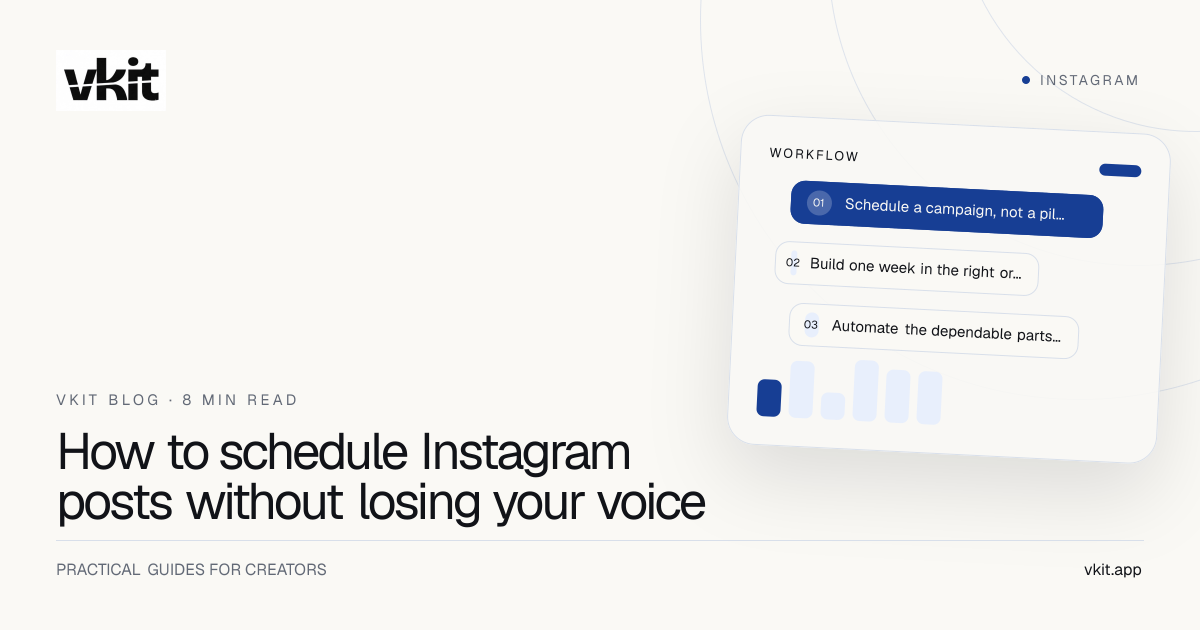
- 01Schedule a campaign, not a pile of posts
- 02Build one week in the right order
- 03Automate the dependable parts and protect the human ones
Schedule a campaign, not a pile of posts
Begin with one outcome for the week. You may want people to save a checklist, comment a keyword, visit a new page or understand one part of your offer. That decision gives the calendar a spine. Each post can play a different role while still pointing toward the same useful next step.
A simple campaign needs an opening idea, proof, a practical teaching post and a direct invitation. Those four pieces are easier to create together because they reuse the same research and visual world. They also make more sense to a follower than four unrelated trends scheduled because the slots existed.
If comments are the intended response, build the handoff before publishing. The comment-to-DM setup guide connects one post, one keyword and one reply so the promise in the caption is ready when the first comment arrives.
Name one outcome.
A week that tries to build awareness, sell, educate and launch equally usually gives every post a weak job.
Create in families.
One core idea can become a Reel, carousel, story sequence and short text post without becoming four copies.
Prepare the next step.
A scheduled post is incomplete when the promised guide, link or reply is still waiting to be built.
Build one week in the right order
Write the message before choosing the format. A sharp opinion may need a talking-head Reel. A repeatable process may deserve a carousel. A quick reminder may belong in Stories. Starting with the format encourages creators to stretch a weak thought into whatever the template expects.
Next, prepare the publishing details together: cover, caption, accessibility text, tags, first comment and destination. Review them on a phone-sized preview. A title that looks fine in a desktop composer can disappear under interface controls or wrap badly on the profile grid.
Finally, choose times based on your own audience signals and your ability to be present. A theoretically perfect minute is less valuable than a good window when you can answer the first comments. Treat published benchmarks as a starting hypothesis, then replace them with what your account shows.
The calendar should hold your decisions. It should never make the decisions for you.
Automate the dependable parts and protect the human ones
Scheduling is ideal for evergreen education, campaign sequences, announcements with confirmed details and recurring formats. These posts benefit from being finished early because timing and quality matter more than reacting to the hour.
Leave space for live commentary, community moments and posts that depend on fresh context. A calendar filled to the edge creates a new kind of pressure: every unexpected opportunity competes with content you already promised yourself you would publish.
VKIT is designed around this balance. Content planning and publishing sit beside the response workflow, so a creator can prepare the post and decide what should happen when somebody engages. The Instagram AutoDM explainer shows where scheduled distribution ends and a useful conversation begins.
Schedule certainty.
Confirmed launches, evergreen lessons and planned series belong in the queue.
Leave room for relevance.
Keep at least one open slot so a timely idea does not become next month’s old news.
Stay present after publishing.
The first replies tell you whether the hook and promise landed; do not automate away that learning.
Run a five-minute preflight before the queue goes live
Open every destination and read every caption as a follower. Confirm dates, names, prices and claims. Check that the media matches the selected account and format. If the post asks for a keyword, test the automation with a non-admin account and verify the message arrives as written.
Then review the week as a sequence. Repeated hooks, identical cover layouts and three sales posts in a row are easy to miss when each card is edited alone. The calendar view should reveal rhythm: different formats, useful breathing room and a clear story from first post to final invitation.
If a scheduled item fails, keep the recovery plain. Identify whether the issue is the connection, media specification, platform limit or timing. A useful scheduler explains the next action instead of hiding a platform response behind a generic error.
Use this week to make next week easier
Do not grade the calendar only by whether every slot published. Review what earned attention, what created conversation and what led to the promised next step. A post with fewer views may be the strongest business asset if the right people asked for the resource.
Save the format and reasoning behind the winners. Do not copy the surface. If a carousel worked because it solved one narrow problem, reuse that clarity with a new problem. If a Reel worked because the first sentence named a real frustration, preserve the directness rather than repeating the same sentence.
A useful scheduling system becomes lighter over time. Your strongest formats become templates, your recurring checks become routine and your calendar reflects evidence instead of guesswork. The VKIT workflow guide turns those lessons into a repeatable monthly structure.
Frequently asked questions
Can I schedule Instagram posts in advance?
Yes. Eligible professional accounts can schedule supported Instagram content through Instagram’s own tools or approved third-party publishing connections. Available formats and limits should be checked in the tool before a campaign.
What is the best time to schedule an Instagram post?
Start with the times your own audience is active and choose a window when you can respond. General benchmarks are useful for an initial test, but account-level results should replace them after several weeks.
Should every Instagram post be scheduled?
No. Schedule dependable campaign and evergreen content, while preserving room for timely ideas, community moments and posts that need current context.
Plan the post and the response in one place.
Start VKIT free to shape the campaign, prepare the publishing week and connect attention to the next useful action without assembling another stack of disconnected tools.
Put it into practice