Guides · 9 min read
How to schedule Instagram, LinkedIn and X in one calendar
Plan, adapt, approve and schedule Instagram, LinkedIn and X from one content calendar while keeping every account, format and campaign easy to audit.
A shared calendar should answer five questions without opening another tab: what is going out, where, when, under which account and who owns the result. Many calendars show dates but leave the assets, approvals and platform versions scattered.
A better system treats one idea as a campaign and each Instagram, LinkedIn and X post as a controlled version. This guide covers the setup, scheduling review and post-publication routine for the live networks in vkit’s current publishing workflow.
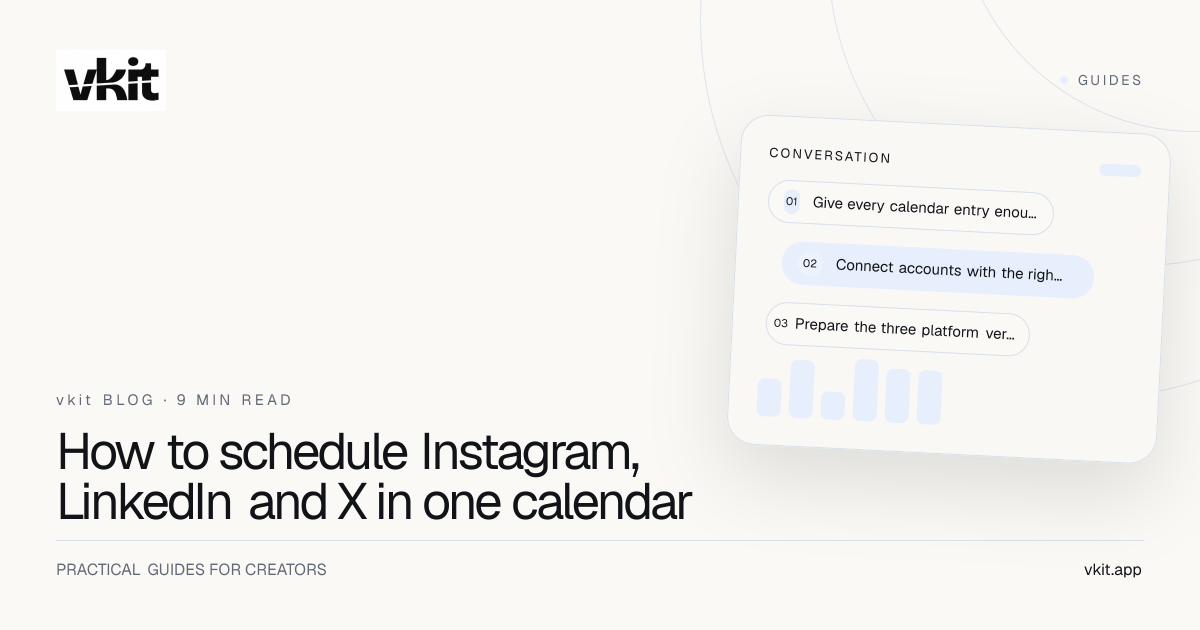
- 01Give every calendar entry enough context
- 02Connect accounts with the right roles and permissions
- 03Prepare the three platform versions together
Give every calendar entry enough context
Create a campaign title, content pillar, objective, owner, source asset, destination and status. Then attach one record per platform version with its account, caption, media, time and platform-specific requirements.
Use statuses that reflect real decisions: idea, draft, review, approved, scheduled, published and needs attention. Avoid ambiguous labels such as done when the post is scheduled but nobody has confirmed the live result.
Keep the record readable. The calendar is an operating view, not an archive of every brainstorm. Link to the deeper brief and assets while keeping the facts needed for scheduling visible. The calendar strategy guide explains how pillars and campaigns fit above the daily queue.
Campaign
The shared idea and objective connecting all platform versions.
Version
The exact caption, media, destination, account and timing for one network.
Owner
The person accountable for approval, live verification and audience response.
Connect accounts with the right roles and permissions
Use official connection flows and select the intended professional or business accounts. Document who owns the connection and who can restore it if roles or credentials change. A calendar cannot publish through access the platform no longer grants.
Check that each visible capability has the required permission. Publishing, analytics, messaging and comment management may be separate. Do not assume a healthy account badge proves every product function is authorized.
Limit access according to the work. A writer may prepare drafts while an owner approves and schedules. Shared personal passwords are not a collaboration system. The Meta Tech Provider guide describes how official permissions support the workflow.
A scheduled post is only as reliable as the account, permission and asset behind it.
Prepare the three platform versions together
Start from one verified source block, then adapt. Instagram gets the visual hook and supporting caption. LinkedIn gets the professional context and readable argument. X gets the compressed claim or short sequence. Keep dates, prices, names and destination facts identical.
Preview each version at the actual crop and visible character range. Check the first frame of video, thumbnails, line breaks, handles, link position and alt text where available. A content calendar should expose these differences before publish time.
Use tracked links with consistent campaign names when the goal includes destination traffic. The UTM builder guide provides a naming system that prevents one launch from appearing as several unrelated campaigns.
Instagram
Validate visual opening, caption context, crop and campaign interaction.
LinkedIn
Validate the written hook, spacing, professional relevance and document or image preview.
X
Validate the standalone meaning, length, thread order and destination visibility.
Schedule with one approval and three explicit checks
Review the campaign facts once, then approve each platform rendering. Confirm timezone and account in the same pass. A beautifully adapted post published from the wrong brand account is still a serious failure.
Choose simultaneous or staggered timing based on the campaign. Use simultaneous publishing for coordinated announcements. Stagger educational ideas when you want one channel’s audience response to improve the next version.
After scheduling, preserve a final preview or immutable version record. If the draft is edited later, the team needs to know whether the scheduled content changed too. The workflow should show the exact version expected to go live.
Close the loop after publishing
Confirm that each post is live, rendered correctly and linked to the right destination. Record the live URL and any warning. If one channel fails, repair that version without duplicating the successful posts.
Watch the first audience responses. Correct material errors visibly and update the source record so another version does not repeat them. Route repeated requests to the relevant AutoDM, form or support path when appropriate.
vkit is built to make this one connected creator workflow rather than three isolated scheduling jobs. The $19 paid creator plan after the $4.99 first month combines publishing with unlimited AutoDM and the wider toolkit, creating a much stronger value than purchasing each workflow separately.
Run a monthly connection audit outside launch day. Confirm account ownership, permission status, timezone and the teammate responsible for recovery. Keep a short incident note when a post fails: the platform, media format, time, error and repair. Patterns across these notes often reveal a recurring asset or process issue that a calendar redesign can prevent. Archive expired campaign versions after the final report while preserving the live URLs and approved source. This closes the operational loop and makes the next multi-platform launch faster without hiding what happened in the last one.
Frequently asked questions
Can I schedule Instagram, LinkedIn and X from one calendar?
Yes, when the accounts and formats are supported and correctly connected. Keep an explicit platform version, approval and live verification for each scheduled post.
Should all three platforms use the same publish time?
Use the same time for coordinated news and stagger educational content when learning from one audience can improve the next version.
What belongs in a multi-platform content calendar?
Include campaign, objective, source, platform version, account, media, caption, destination, owner, status, timezone and live URL.
Run one campaign without losing the three details that matter.
vkit keeps Instagram, LinkedIn and X inside one creator calendar, with the audience response tools ready beside the posts.
Put it into practice