Instagram · 6 min read
Instagram Auto DM for fashion creators: three useful flows
Turn outfit questions into useful replies with three fashion Auto DM examples: a look breakdown, a size guide and a collection link. Includes ready-to-edit copy.

A good outfit post creates questions: where is the jacket from, which jeans are those, and is there a link to the whole look? Answering each person with the same information interrupts the next thing you need to make. Sending a vague shop link can be just as frustrating for the follower.
Here are three fictional fashion campaigns you can adapt: an outfit breakdown, a sizing resource and a collection edit. Each includes a caption, a reply and a destination brief. The examples demonstrate a workflow; they are not customer testimonials or promises of a particular sales result.
| Post | Keyword | What the message delivers |
|---|---|---|
| One jacket styled three ways | LOOK | An itemized page for the looks shown |
| How a specific piece fits | FIT | Measurements and fit notes for that item |
| A seasonal collection edit | EDIT | The exact collection discussed in the post |
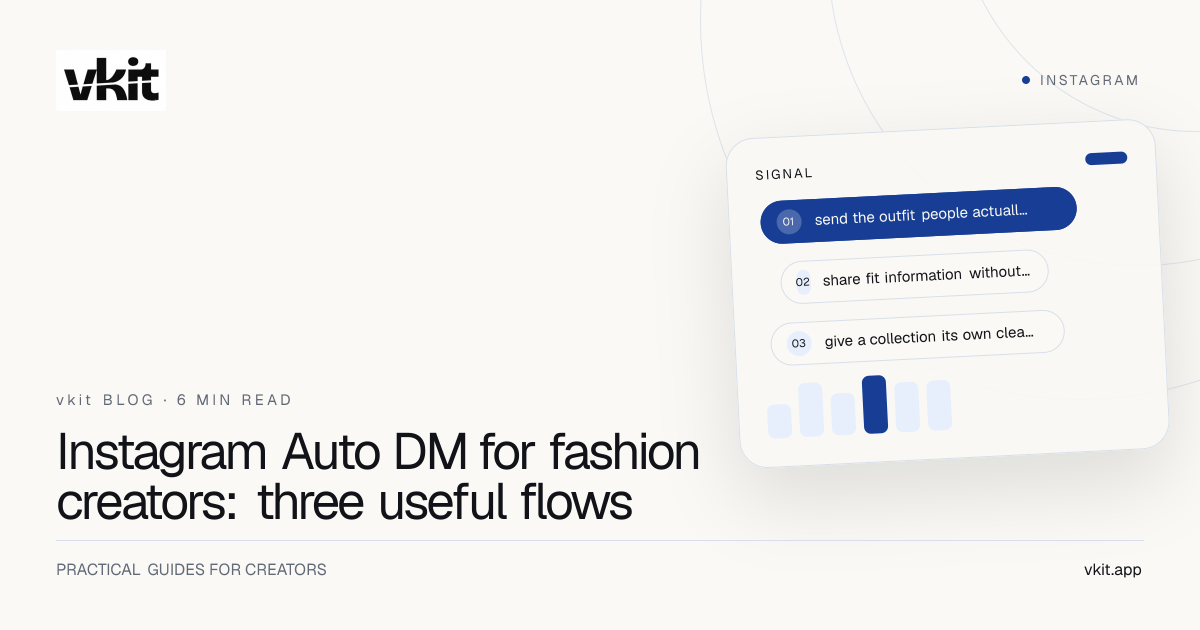
Flow one: send the outfit people actually saw
Imagine a Reel showing one black jacket with three outfits. The useful resource is a page that lists the jacket, trousers, shoes and accessories by look. Arrange it in the order they appear in the video. If something is unavailable, say so and clearly label any alternative instead of quietly substituting a different product.
Caption example: ‘One jacket, three plans. Work, dinner, weekend. Comment LOOK and I'll send the outfit breakdown, with the pieces grouped by look.’ This tells the person what to type and what they will receive. Keep any other action in the caption secondary so the request remains easy to understand.
Reply example: ‘Here's the outfit breakdown from the jacket Reel. Looks 1, 2 and 3 are listed in video order, so you can find the pieces you liked.’ Add the direct outfit-page URL to the reply. The message does not need to resell the whole Reel.
Review that destination when stock changes. The automated reply may remain active longer than a retailer keeps the item available. A simple availability note is more helpful than a button that repeatedly leads people to an error or an unrelated homepage.
Flow two: share fit information without guessing for someone
A sizing post should make clear which item you are discussing. A useful destination can show the retailer's current size chart, the size demonstrated in your content and your own fit observations. Keep those observations specific to the garment rather than presenting them as a universal rule about a person's body.
Caption example: ‘A closer look at how this linen blazer fits. Comment FIT for the brand's size-chart link and my notes on the shoulders, sleeve length and layering room.’ This offers information someone can use, rather than promising that an automatic message can choose their perfect size.
Reply example: ‘Here are the blazer fit notes from the post, plus the size chart. Check the garment measurements against a piece you already own. My notes describe this blazer in the size shown.’ Link to that resource, not to a generic sizing page covering every brand.
If somebody asks a detailed question after reading, answer it personally when you have the information. A prepared reply should handle the repeated resource request. It should not invent knowledge about stock, returns, measurements or a customer's preferred fit.
Flow three: give a collection its own clear entry point
For a seasonal edit, select a small set with a coherent reason to belong together. A useful example is five layers for changing weather, grouped by warmth and occasion. That gives a follower a reason to open the collection beyond seeing another undifferentiated product grid.
Caption example: ‘My five-layer edit for unpredictable weather: light shirts, knitwear and a jacket that works over both. Comment EDIT and I'll send the full selection in one place.’ Match the destination title to that promise so the follower recognizes it immediately.
Reply example: ‘Here's the five-layer edit. I've grouped the pieces from lightest to warmest, with notes on how I'd wear them together.’ Put the collection URL after that explanation. For a brand collaboration, keep the relationship clear in the post and destination, alongside the actual recommendation.
Choose one collection for one campaign. If you later publish a holiday edit, create a distinct resource and review its keyword and post selection. Reusing the same vague link across unrelated campaigns makes it harder to understand which content sparked a useful visit.
Build the content and the reply as one campaign
vkit brings Content Studio, Brand Kit, publishing and Instagram Auto DM into the same workspace. For a fashion creator, that can mean developing a look-breakdown carousel, keeping its visual style consistent and organizing the posts around its requested reply. Publishing to another platform does not make Instagram Auto DM run there.
vkit is a Meta Tech Provider. Connect an eligible Instagram account through Meta's official authorization flow and review the access you grant. Then follow the Auto DM setup guide to configure the selected post, keyword and reply.
Keep a small campaign brief alongside the creative. It should be clear enough that a collaborator could check the experience without guessing. The comment-to-DM overview shows the journey; these fashion examples give you the words and destination to put into it.
Creative and promise
Record which outfits appear, which item or edit the post covers and the exact resource the caption offers.
Keyword and reply
Use a memorable word and a message that delivers the requested information before adding any secondary pitch.
Destination and owner
Save the final URL, check it on a phone and choose who updates prices, availability and item notes.
Check the follower experience before adding more campaigns
Run the complete journey using a consenting test account. Confirm that the matching comment receives the intended resource, the page opens properly on mobile and the products correspond to the post. Check an unrelated comment too. Look for confusing steps before inviting a larger audience to try it.
After launch, review the questions people still ask. If they repeatedly ask which look contains a particular item, make the page easier to scan. If a link gets visits but no useful next action, inspect the destination before rewriting every message. Our measurement guide separates activity from outcomes.
On vkit Pro, you can grow the contact list without paying per-contact fees. That does not remove Instagram's messaging limits or make AI usage unlimited. It gives you a predictable contact allowance while you build a repeatable content routine. Check the current plans when choosing your subscription.
Frequently asked questions
What keyword should a fashion creator use for Auto DM?
Choose a word that describes the requested resource, such as LOOK for outfit details, FIT for garment notes or EDIT for a collection. Keep it easy to spell and match it to the specific post and reply.
Can one outfit reply include several product links?
A practical approach is one link to an itemized outfit page. Group the pieces by look and label them clearly, so the follower can find what they saw without reading a long message filled with unrelated URLs.
Should an automatic reply recommend a clothing size?
Use the reply to share accurate garment measurements, the relevant chart and clearly labelled fit observations. A static message should not guess a stranger's measurements or promise a perfect fit.
What should I do when a linked item sells out?
Update the resource page, label the item as unavailable and identify any alternatives clearly. Review or pause the campaign if its original promise no longer makes sense; do not silently send people to a different offer.
Does vkit charge for every new fashion-campaign contact?
vkit Pro includes unlimited contacts without per-contact charges. Contact growth does not raise that subscription price. Other plan allowances and Instagram's platform rules remain separate.
Let the post create interest. Make the reply useful.
Choose one look, prepare its destination and build your Instagram Auto DM in vkit. Test the full journey, then use the next post to answer the questions your audience actually asks.
Create your outfit-link Auto DM