Instagram · 6 min read
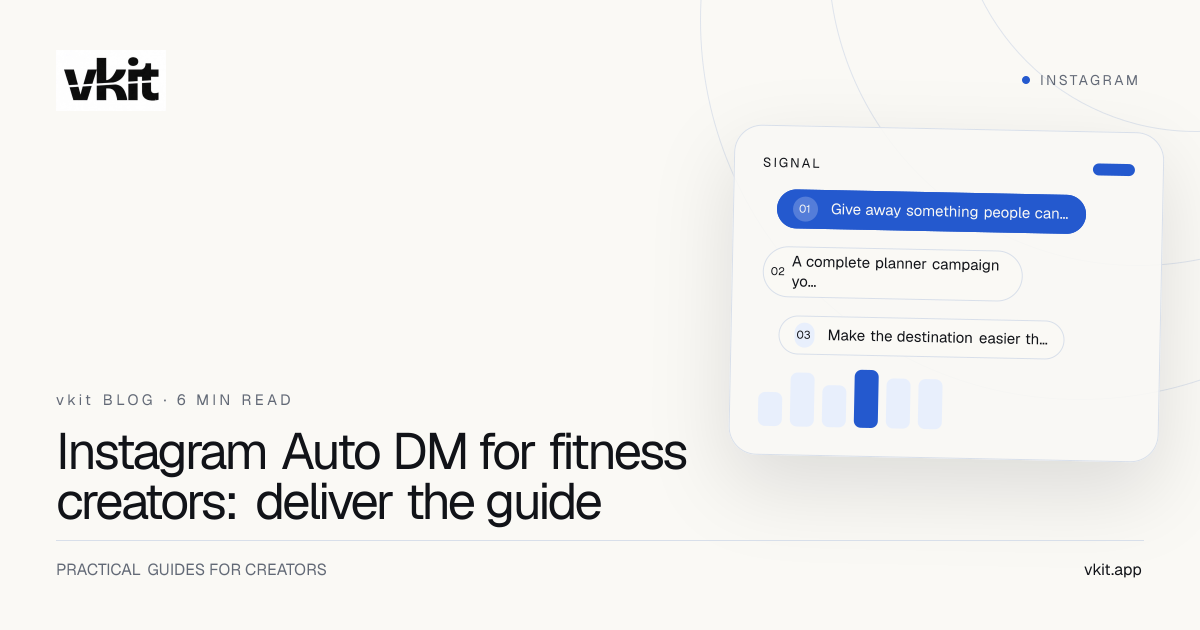
Instagram Auto DM for fitness creators: deliver the guide
Turn requests for your planner or gym checklist into a clear next step. Use a ready-to-adapt caption, reply and launch checklist for one useful campaign.
A useful fitness post often creates a second job: sending the same planner to everyone who asks. You finish filming, open Instagram and spend the next hour copying a link. The resource exists. The repetitive handoff is the problem.
This walkthrough builds a small campaign around a blank weekly training planner. Use the illustrative example to prepare your own caption, message and destination. You will also have a simple way to judge whether the campaign deserves another post.
Give away something people can use today
Choose a resource that makes sense without an assessment. A blank planner helps people organize their own week. A filming checklist helps another creator record a session. An equipment list explains what appeared in your video. Each answers a specific request without pretending to know a stranger’s health or goals.
Avoid starting with a sweeping promise such as a complete transformation plan. It is difficult to explain, harder to deliver responsibly and likely to generate questions a fixed reply cannot answer. A first campaign should have a visible finish line: the person receives the thing, opens it and understands what to do next.
Blank weekly planner
A printable or editable sheet with space for the person’s own schedule and notes. Describe it as an organizational template.
Gym bag checklist
A short packing list based on what you actually carry. Make optional items clear rather than implying every reader needs to buy them.
Behind-the-scenes equipment list
The camera, tripod and microphone used in a specific shoot, with any commercial relationships clearly disclosed on the destination.
A complete planner campaign you can adapt
Imagine a creator called Maya posting a Reel about planning a filming and training week. The resource is a one-page blank planner. It contains no personalized exercise prescription. The keyword is PLANNER, and the rule applies only to the Reel promoting that file.
Caption template: “My week gets easier when it is on one page. I made a blank version of the planner I use to organize it. Comment PLANNER and I’ll send the download in an Instagram DM. Add your own schedule and make it yours.”
First DM template: “Here’s the blank weekly planner you asked for: {planner_url}. Save a copy before editing. The first page shows how the layout works. Hope it makes planning your week a little easier.” Replace the placeholder with a real destination before testing.
Optional public acknowledgement: “Sent the planner link — check your DMs.” Use that wording only when it matches the actual delivery behavior. A public comment should not claim a message arrived when the automation reports a failure.
Make the destination easier than asking you again
Put the download near the top of the page. Explain its format, whether it is printable or editable, and how to copy it. Open the page on your own phone while signed out. A file that works only inside your account is not a working audience resource.
If the page offers coaching, place that invitation after the promised resource. A reader can choose to learn about your service without losing access to the planner. You can explain who the service is for, what the first conversation covers and how to enquire, without telling a stranger that they need it.
A public comment is the wrong place to request health details. If someone sends a personal question, handle it through an appropriate human process. Keep the automated reply limited to the general material you advertised. This campaign is a delivery workflow, not an individual coaching assessment.
Build the rule around one Instagram post
In vkit, connect the intended professional Instagram account, choose the comment trigger, select your post, enter PLANNER, write the message and review it. The step-by-step setup guide covers the current builder in more detail.
A URL can be included in the first private reply. Opening that website link alone does not authorize an ongoing automated conversation. Treat any later response as a separate interaction and follow the applicable messaging rules instead of attaching a promotional sequence to every download.
As a Meta Tech Provider, vkit connects eligible Instagram accounts through Meta’s official authorization flow. You review the requested permissions when connecting your account, then choose the post, keyword and reply for your campaign.
Give the campaign an owner before publishing
A recurring resource can stay useful for months, but only if someone maintains it. Put the post, keyword, destination and review date in a simple campaign note. That makes it possible to update a file without leaving an old caption promising something different.
Run a complete audience test, not just a preview of the message. Use a separate Instagram account, comment the keyword and follow the link. Then check how you will spot a failed delivery or an unanswered question. The workflow needs an owner even when the repetitive reply is automated.
Creator owns the promise
Approve the caption and resource together. Remove unsupported claims and confirm that the planner says exactly what the post says.
Campaign owner owns the handoff
Check the selected post, keyword, receiving-account test and working URL before making the campaign part of a launch.
A person owns exceptions
Name who will answer access problems, personal questions and requests to stop. Do not leave those conversations to a generic reply.
Measure resource use before planning a bigger funnel
Count the steps separately: relevant keyword comments, delivered replies, visits to the resource and completed enquiries. Use campaign-tagged links if your website analytics supports them. A delivered message is not a downloaded planner, and a download is not a coaching customer.
Record the questions people still ask after receiving the resource. If several cannot find the download, fix the page. If they expected a finished workout plan, fix the promise. If the resource works but nobody asks about coaching, do not pretend the campaign has proven a sales funnel.
When budgeting, vkit Pro has unlimited contacts rather than a price that rises with each contact tier. That does not remove platform sending limits or separate AI allowances. The Auto DM cost guide explains the billing options before you decide whether to expand beyond your first test.
Frequently asked questions
What should a fitness creator send through Instagram Auto DM?
A specific general resource is a useful starting point: a blank planner, gym bag checklist or equipment list. Describe what it contains before asking for a keyword, and keep personal coaching or health questions outside the fixed reply.
Can I send the planner link in the first private reply?
Yes, the vkit comment workflow can include the destination URL in the first reply. Test the final link from a receiving account. A website-link click alone does not give permission for an ongoing automated message sequence.
Does vkit charge per fitness lead or Instagram contact?
vkit Pro includes unlimited contacts without per-contact subscription pricing. Your audience size does not change that billing model. Instagram platform limits and the plan’s separate AI allowance still apply.
Does a planner download mean someone wants paid coaching?
No. It shows interest in the resource you offered. Put a clear, optional coaching enquiry on the destination and count those enquiries separately from downloads or sent messages.
Sources and verification
Product details and prices change. We checked these primary sources on the dates shown.
Let the useful resource do the talking
Choose the file your audience already asks for, write one honest caption and test the complete handoff. Build your first Instagram resource reply in vkit, then improve it using the questions people actually ask.
Set up your fitness resource reply